
What is an unauthenticated scan?
An unauthenticated scan tests API endpoints without credentials (no API keys, OAuth tokens, or sessions). It’s ideal for:
-
Catching unprotected endpoints and accidental public exposure
-
Validating that restricted endpoints actually enforce auth
-
Spotting sensitive data leaks and weak rate limiting on public routes
When should I run one?
-
Before production launches
-
After auth or gateway changes
-
During routine security checks
-
When onboarding third‑party APIs
Prerequisites
-
Access to your APIsec tenant (e.g.,
https://<your-tenant>.apisecapps.com)
Step‑by‑step: Run an unauthenticated scan
1. Open your tenantGo to
https://<your-tenant>.apisecapps.com. 2. Open the application
From the Applications list, click See more on the app you want to test.
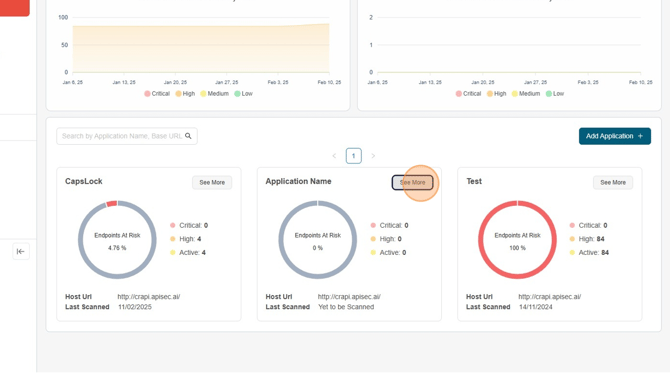
3. Start the scan
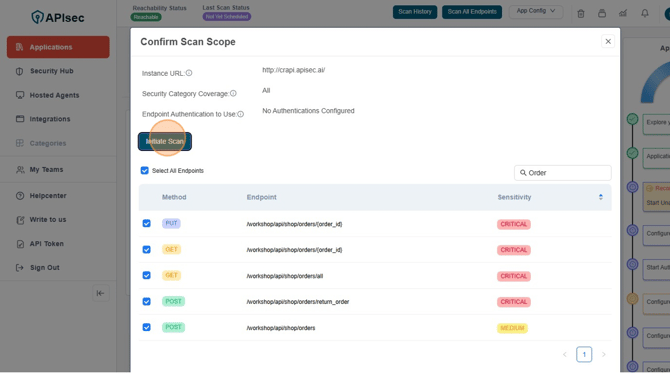
Click Scan All Endpoints to open the scan scope dialog. 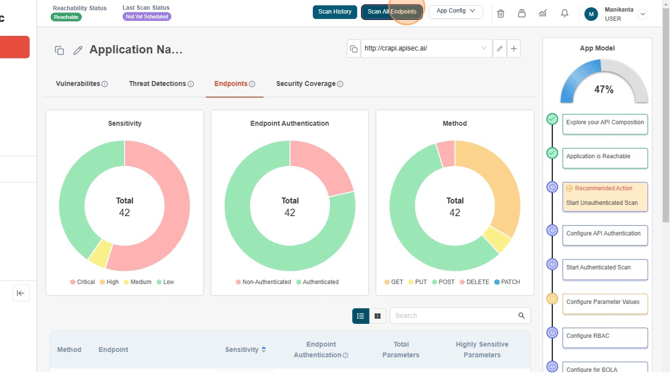
4. Confirm scope (optional but recommended)
Toggle Select All Endpoints off/on to refine the list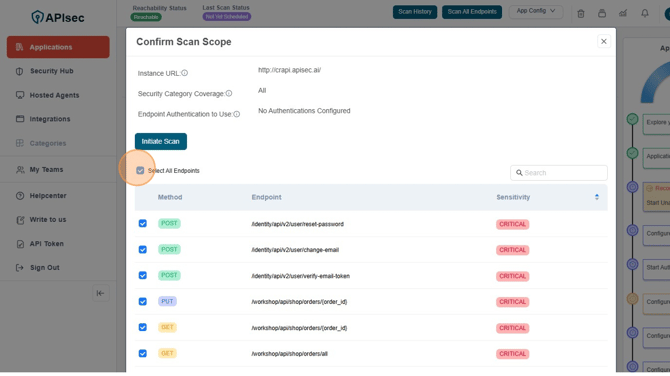
Use the search bar to find a domain area (e.g., type Orders)
Under Endpoint Authentication, ensure No Authentication Configured is selected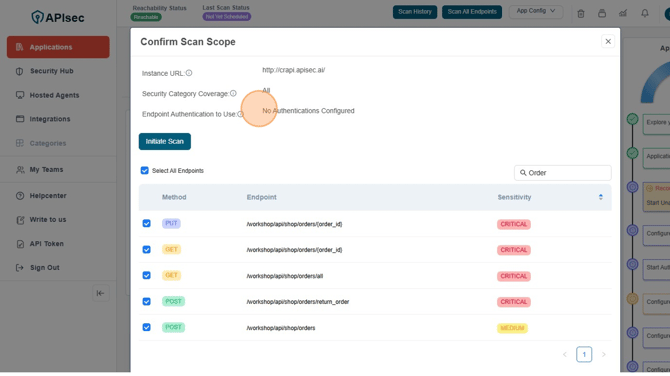
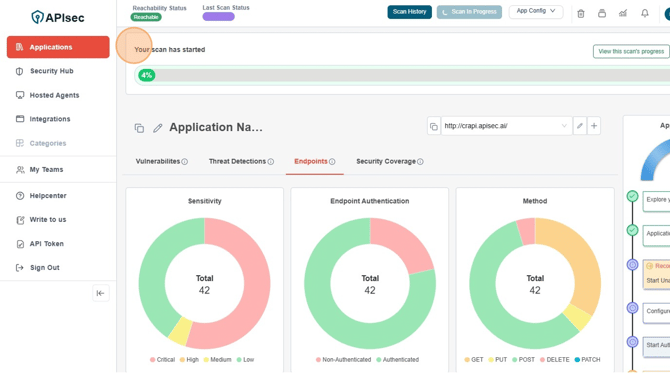
Verify the scan started. A progress bar appears at the top of the application page.
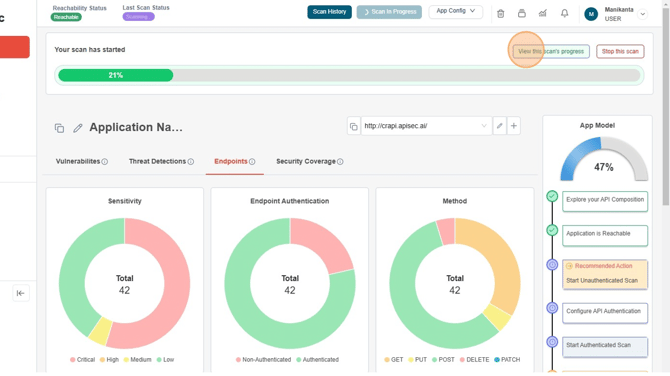
Click View this scan’s progress to open the Scan Details page.
What happens next?
-
APIsec runs targeted test playbooks against the selected unauthenticated endpoints
-
You’ll see live status and per‑endpoint execution in Scan Details
-
When complete, results become available for triage in your project dashboard (pair this with Authenticated Scans and Reports for full coverage)
Best practices for unauthenticated scans
-
Scope tightly for faster feedback (focus on risky paths like
/public,/status,/health,/signup,/reset) -
Repeat after changes to auth policies, proxies, or gateways
-
Pair with rate‑limit tests to reduce abuse risks
-
Track over time—add scans to CI/CD or scheduled jobs for drift detection
Troubleshooting
-
No endpoints found? Confirm the application was onboarded and endpoints are visible from the app page.
-
Scan stuck in “Queued”? Check scanner capacity or concurrent jobs; try re‑initiating.
-
Unexpected “401/403”? That’s good! It likely means the endpoint properly enforces authentication. Confirm with an Authenticated Scan to continue coverage.
FAQs
What’s the difference between unauthenticated and authenticated scans?
Unauthenticated scans test exposure before login; authenticated scans validate access controls after credentials are provided. You need both for layered security.
Do unauthenticated scans change data?
Scopes typically use safe checks, but if you include write endpoints, they may attempt benign mutations depending on selected categories. Use staging where possible.
Can I target only a subset of endpoints?
Yes. Use search and selection toggles in the scope dialog to include just the endpoints or services you want.
How do I know if a public endpoint is safe to expose?
Verify it returns only intended, non‑sensitive data; confirm rate limits and error handling; and log requests. Then lock down everything else.
How often should I run unauthenticated scans?
At minimum before releases and monthly; ideally integrate with CI/CD to catch drift early.
Related articles
-
Application & API Onboarding – register and organize your APIs
-
Configure Authentication – add OAuth, keys, or session auth for protected routes
-
Authenticated Scan – validate access controls post‑login
-
View Vulnerabilities – triage and manage findings
-
Reports – export summaries and coverage views APIsec